


Palworld Server Hosting – Fast, Modded, Cross-Region Servers
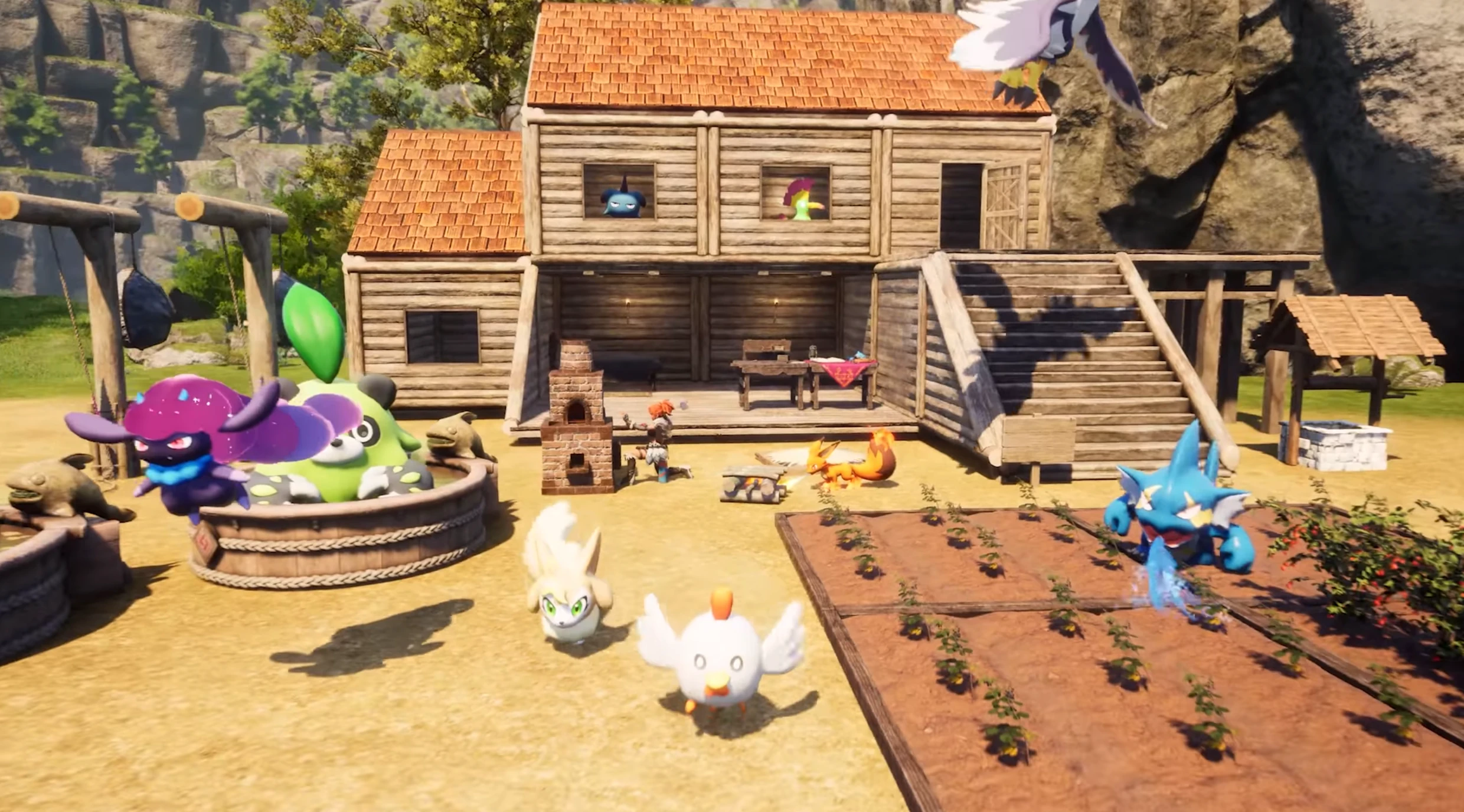
Choose our Palworld server hosting service for an unparalleled multiplayer experience. Experience swift, uninterrupted gameplay with our high-speed, lag-free dedicated servers boasting 99.9% uptime. Benefit from top-tier security and a user-friendly control panel, perfect for groups diving into the diverse world of Palworld. Get all these features at the most competitive price in the market. Enhance your Palworld adventures with our reliable hosting. Sign up today and elevate your gaming experience!
Optimized Palworld performance & backups
We run Palworld servers on Intel Xeon hardware (192 GB RAM minimum) with NVMe storage so base raids, breeding hubs, and mob-filled dungeons stay smooth. Automatic snapshots help you roll back fast after griefing or bad mod installs. Cross-region transfers let you move closer to your community without wiping progress.
Mod-friendly Palworld hosting
Use our 1-click mod installs or upload custom content via FTP/RCON. We keep popular Palworld mods up to date and provide quick restores if an update breaks your world. Console + Steam players can join with tuned configs that respect Palworld’s cross-play requirements.
Have lots of fun with your friends!
- Steam&Consoles
- Powerful Hardware
- User Friendly Panel
- FTP&Rcon
- Static IP Addresses
- Branding-Free Servers
- Uncapped RAM
- Uncapped disk space
- Custom Admin Panel
- Great Support
- 2-Day Refund Policy
- PROMO: Valheim and Satisfactory included!
2-Day Money-Back Guarantee
Safe Payments

Plan S
$799
/ per month
Up to 5 Players
The gameplay on the server is optimized for those who are looking for a solid, stable basic hosting for a small team.

Plan M
$1299
/ per month
Up to 10 Players
At a great price, you receive a fast and stable server. Configuration is ready for larger teams and complex worlds. For most players, this is the best option.

Plan L
$2499
/ per month
Up to 30 Players
The ideal option for larger teams and experienced settlers. With this plan you can go beyond casual players limit and run very complex universes.
Let us know what you think. We want to make our hosting offer better. Thanks!
Latest Palworld Guides & News
Palworld Server Progression Guide
Multiplayer carry over tips, game pass integration, and power leveling strategies.
Home Sweet Home Update & Base Tour
Explore the new base customization options and the ULTRAKILL collaboration.
Palworld Breeding Calculator
Optimize your breeding farms with our comprehensive calculator and guide.
Palworld Coal Locations & Mining Guide
Best spots to mine coal, base setups for automation, and essential recipes.
Update: A New Era for Building
Deep dive into the latest building mechanics and fun features added to Palworld.
What our users are saying
Your hosting service provides an incredibly low price-point from my perspective, with the trade-off being I have less control over how it runs. I think you all handled the 19.6 upgrade very well and very quickly, which reinforces the idea that the low price-point is less about providing reduced/inferior support and more about providing thoughtful, targeted reduction of access/customization in support of eliminating common problem areas. see more.
Jonathan Robertson // Kanaverum
First time rent a server for gaming. So easy and simple to use. Even dont need tutorial. All in one with several clicks and its done. Ofc gonna rent again to keep my gameplay with my friends because the ping is so damn low. It worked very well.
Customer
Hey thank you for the 7D2D servers, i've had a blast playing on it and your control panel is so easy with one click modpack installs and easy to use interface for the newest server administrators.
Psychosis Prophet
Palworld Server Hosting FAQ
You can host your own Palworld server, but it can be complicated and time-consuming. With Supercraft you get an optimized dedicated server instantly. If you still want to try self-hosting, here is a basic setup guide:
Installing a Dedicated Palworld Server on Windows
Server Requirements
- Windows 10/11 or Windows Server 2016/2019/2022 (64-bit)
- Quad-core processor (requires up to 2 full cores)
- Up to 4 GB memory (currently uses around 1 GB)
- At least 12 GB disk space for the install folder
Step 1: Fetching Game Server Files
- Create a folder for your Palworld server files.
- Download and place
SteamCMD.exein this folder. - Create a batch file named
SteamCMD.bat. - Insert the following code into the batch file:
@echo off
start "" steamcmd.exe +login USER PASS +force_install_dir "C:\Your\Server\File\Path" +app_update 2394010 validate +quit- Run
SteamCMD.batas Administrator. - Wait for the game server files to download completely.
Step 2: Setting Up the Palworld Dedicated Server
- In your server folder, create a batch file named
PalworldServer.bat. - Place this code in the batch file:
start PalServer.exe -ServerName="My Server Title" -port=12345 -players=32 -log -nosteamStep 3: Configuring Your Palworld Server
Configure your server using launch parameters and DefaultPalWorldSettings.ini.
Some key options include:
- Server Name: change the
ServerNamevalue. - Password Protection: set a password to restrict access.
- Save and Log Directories: adjust
saveDirectoryandlogDirectory. - IP and Ports: set
ip,gamePort, andqueryPortas needed. - Player Count: modify
slotCountto set the maximum number of players.
Step 4: Port Forwarding
Add rules to your firewall and router to allow the ports you configured (for example, TCP/UDP ports 15636 for the game and 15637 for Steam queries).
World Save Data
Your world save data is stored in the savegame folder. Be sure to back up these files regularly.
Setting up a Palworld server yourself can be rewarding, but renting a dedicated Palworld server from Supercraft is the fastest, simplest way to get your world online and keep it running smoothly.
Palworld server hosting that scales with your guild
Go from a cozy 4-player ranch to a packed 32-player world without migrating saves. Our panel lets you bump slots, tweak rates, and restart in seconds. Snapshot and restore before large PvP events, and use scheduled restarts to keep tick rates healthy.
Security matters when you’re hoarding Pals: we include DDoS protection, optional passworded access, and IP allowlists. Need to move a world from another host? Upload your save, restart, and keep every captured Pal, blueprint, and base layout intact.
Support is gamer-first: share your mod list and we’ll replicate it, fix broken configs, or help with port rules so friends connect the first time. If you’re not happy in the first 48 hours, the 2-day refund policy has you covered.
FAQ
It’s easy to get started
Follow these quick steps to launch your dedicated game server with Supercraft.
Choose your plan
Select the best option for your needs
Create account
Or login if you have one
Make payment
Choose one of our secured payment methods
Select your region
Choose the closest location for the lowest ping
Install the game
Game will run automatically after installation
Connect!
You will have the port and IP in the management panel
Why to choose Supercraft as your next dedicated server hosting provider?
Core benefits of our dedicated game server hosting: resilient network, fast hardware, admin control, simple mods, and responsive support.
DDoS protection
Best attack protection with 17Tbit/s filtering capacity
Full control
We give full access to all options, browse logs and use admin console.
Best hardware
Our services runs on Intel Xeon Silver and Gold with at least 128 GB RAM.
Lightning-fast network
Game experience free of lags and glitches; recent Trustpilot reviews note steady low ping across regions.
Configuration for experts
Advanced administration options allow you to fine-tune your game experience. FTP and RCON.
Safe Payments
We use only thrusted payment gateways: PayPal and Stripe, we never process credit card information directly.
Mods & Maps easier then ever
With our custom dedicated panel mods and maps installation is a single click.
24/7 Support
Send us an email, use online form or reach to us directly on Discord to reach us out; players often receive answers within minutes.
Available Regions
Also hosting Valheim server hosting and Satisfactory server hosting if your group rotates survival worlds.